Security
NubSecTwo keys. One vault.
File encryption for the desktop, done properly: AES-256-GCM with Argon2id key derivation, plus TOTP. Your password and your authenticator app are both required to lock or unlock a vault.
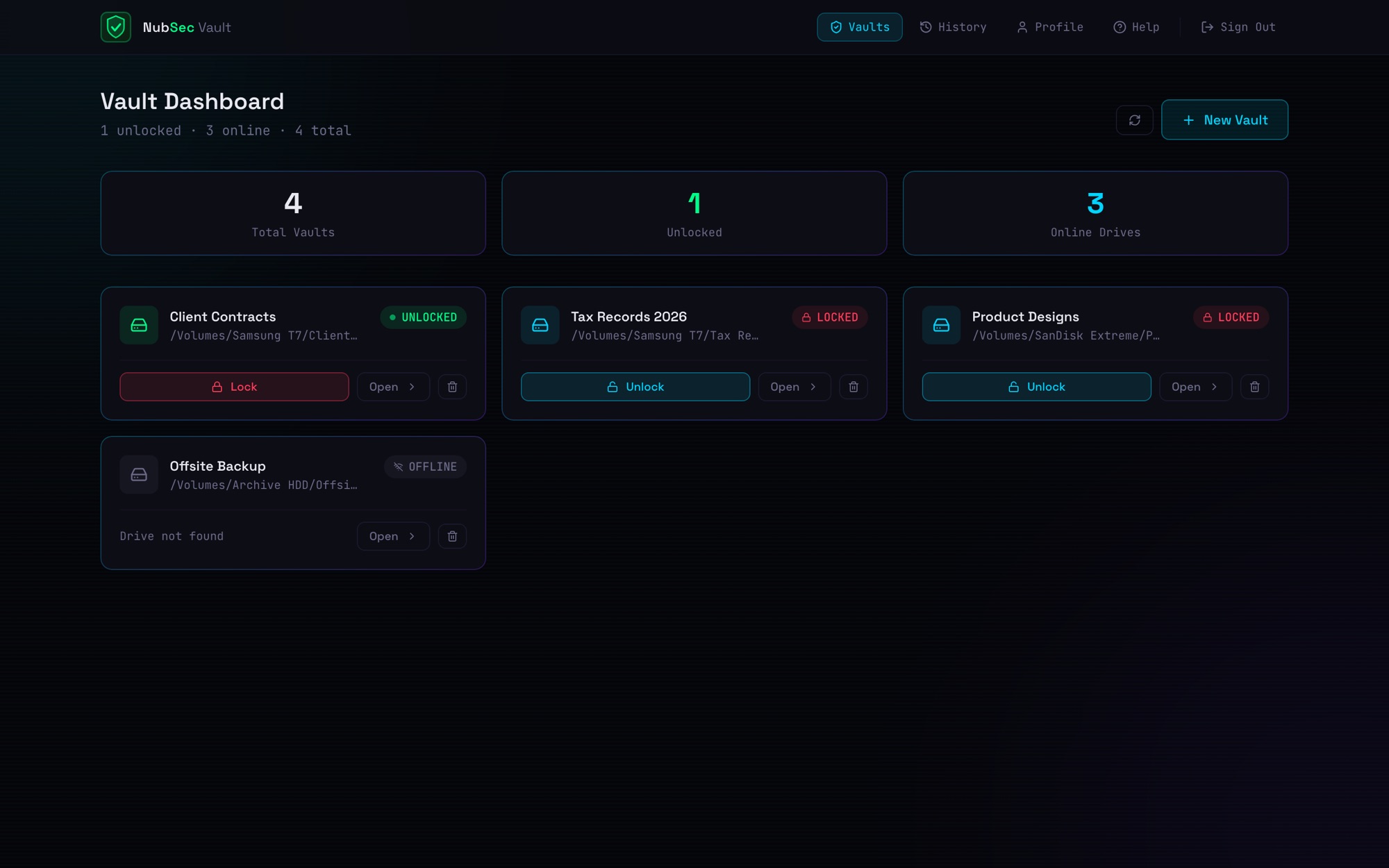
The vault console with demo data: four vaults across external drives, each locked, unlocked, or offline.
A lost drive shouldn't be a lost business.
Files on USB drives and shared folders are exposed the moment a drive goes missing or a password leaks. NubSec requires both your password and your phone.
How it works
4 steps. That's it.
Create
Make a vault on any drive or folder.
Pair
Scan a QR code with your authenticator app and save your recovery codes.
Unlock
Enter your password and a 6-digit code, then drag in files to encrypt or decrypt with live progress.
Lock
Lock the vault and the key is wiped from memory.
What makes it different
Built the hard way.
On purpose.
Two factors, always.
A stolen password alone does nothing. A stolen phone alone does nothing.
Keys never touch the disk.
Keys live only in memory. Quitting the app locks every vault.
Names are secrets too.
File names are encrypted along with their contents, and tamper detection runs on every file.
A log you can trust.
The audit log is tamper-evident: every entry is chained to the one before it.
Gone means gone.
After encrypting, the original can be securely wiped with seven overwrite passes.
Just works on a Mac.
A self-contained app with its own runtime. It restarts itself after a crash and can open at login.
Who it's for
For privacy-minded professionals, journalists, security researchers, and businesses carrying sensitive files.
- AES-256-GCM
- Argon2id + TOTP
- macOS 13+ on Apple Silicon
NubSec.
Two keys. One vault.
Next up
First Chair →