Infrastructure
DevSearchGoogle for my code.
A search engine over an entire development portfolio. Ask for what a project does, not what it is called: “video editing software” finds OceanMixer.
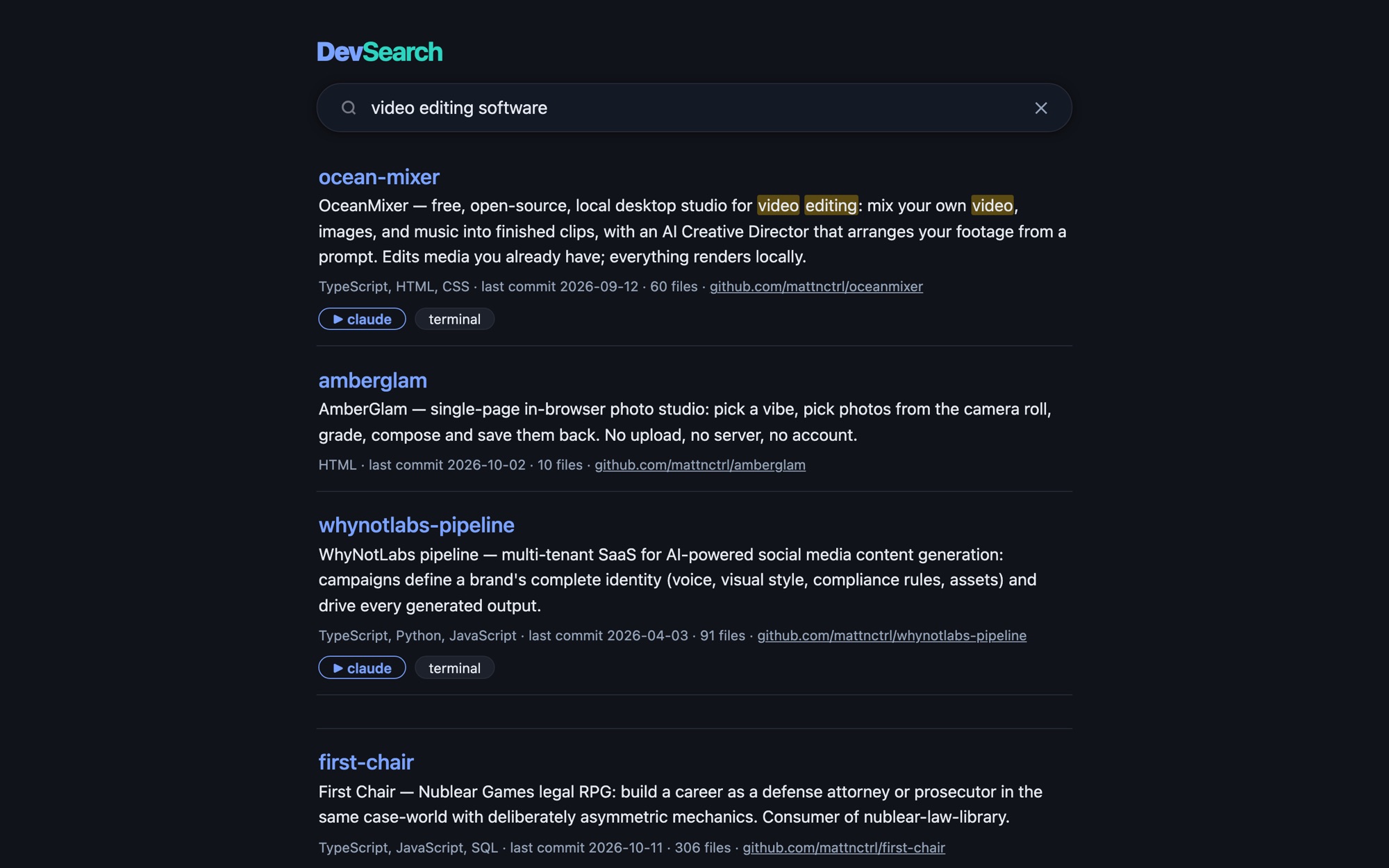
Ask what it does, get the project: OceanMixer, ranked first for “video editing software.”
With 100+ projects, the right one is never where you think.
Names drift and grep drowns you. DevSearch answers the real question: which project does this?
How it works
4 steps. That's it.
Describe
Every project gets a curated card: what it does, keywords, languages, last commit.
Index
A nightly job picks up new projects automatically and flags any card still waiting for a description.
Ask
Type what a project does and get ranked results.
Jump
One click opens a terminal or an AI session right inside that project.
What makes it different
Built the hard way.
On purpose.
Search by meaning.
Keyword search and on-device embeddings, fused. If the model is missing, it falls back to keywords and says so.
Curated survives everything.
Hand-written descriptions survive every rebuild, so the index reflects intent, not just file names.
Four ways in.
A native Mac app, a web UI, a CLI, and an MCP server for AI agents.
Safe by construction.
The launch endpoint only accepts projects from its own catalog, so it can never be pointed at an arbitrary path.
One ranked question instead of sixty working trees.
Who it's for
A personal developer tool, and the first stop for every AI agent that works in the codebase.
- Node.js + Swift
- BM25 + EmbeddingGemma
- Web UI, CLI, MCP, Mac app
DevSearch.
Google for my code.
Next up
NerdSignals →